
OKX API Connection Guide
- 1
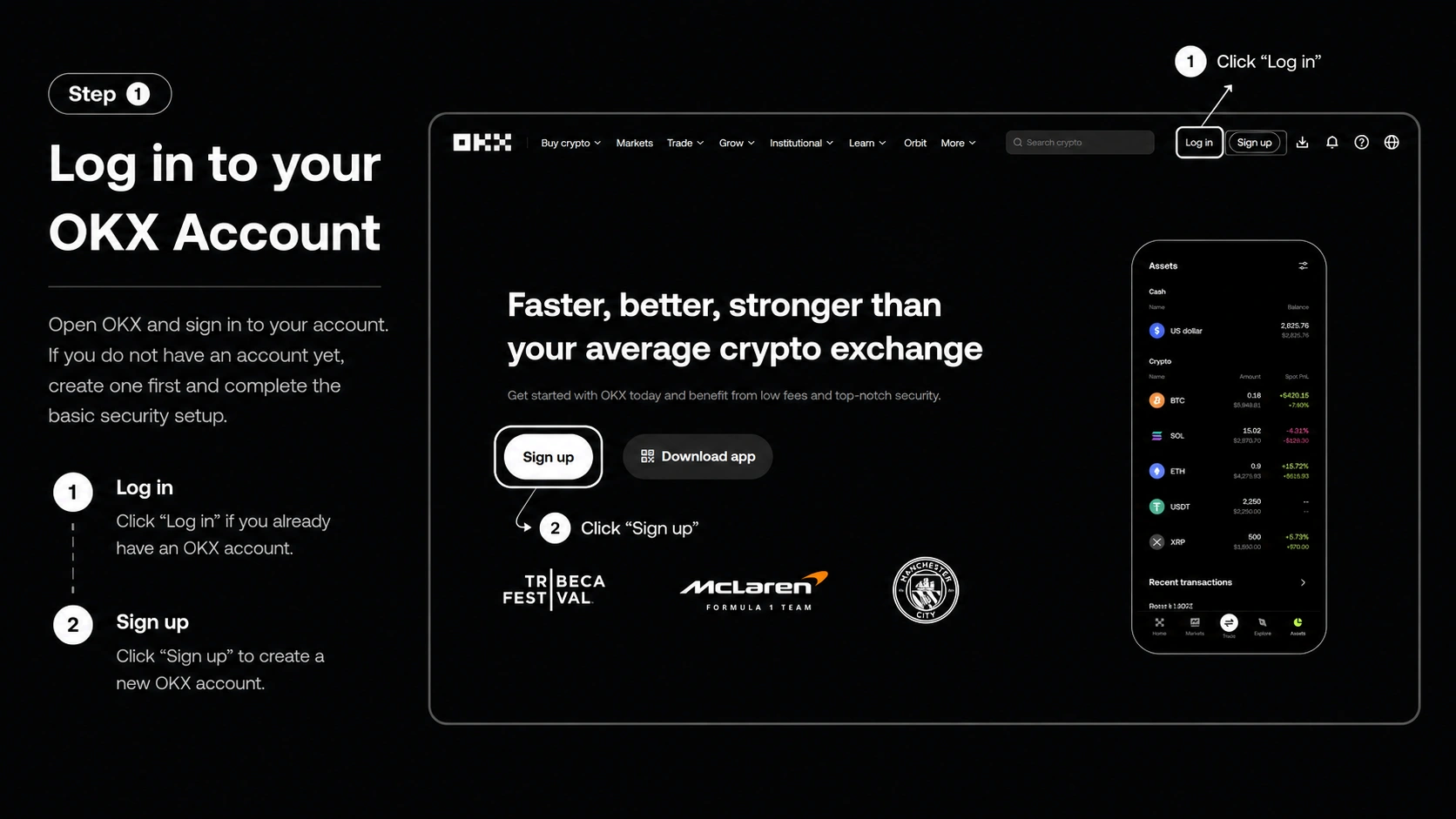
Log in to your OKX account
Open OKX and log in to your account. If you do not have an account yet, create one first and complete the basic security setup.
- 2
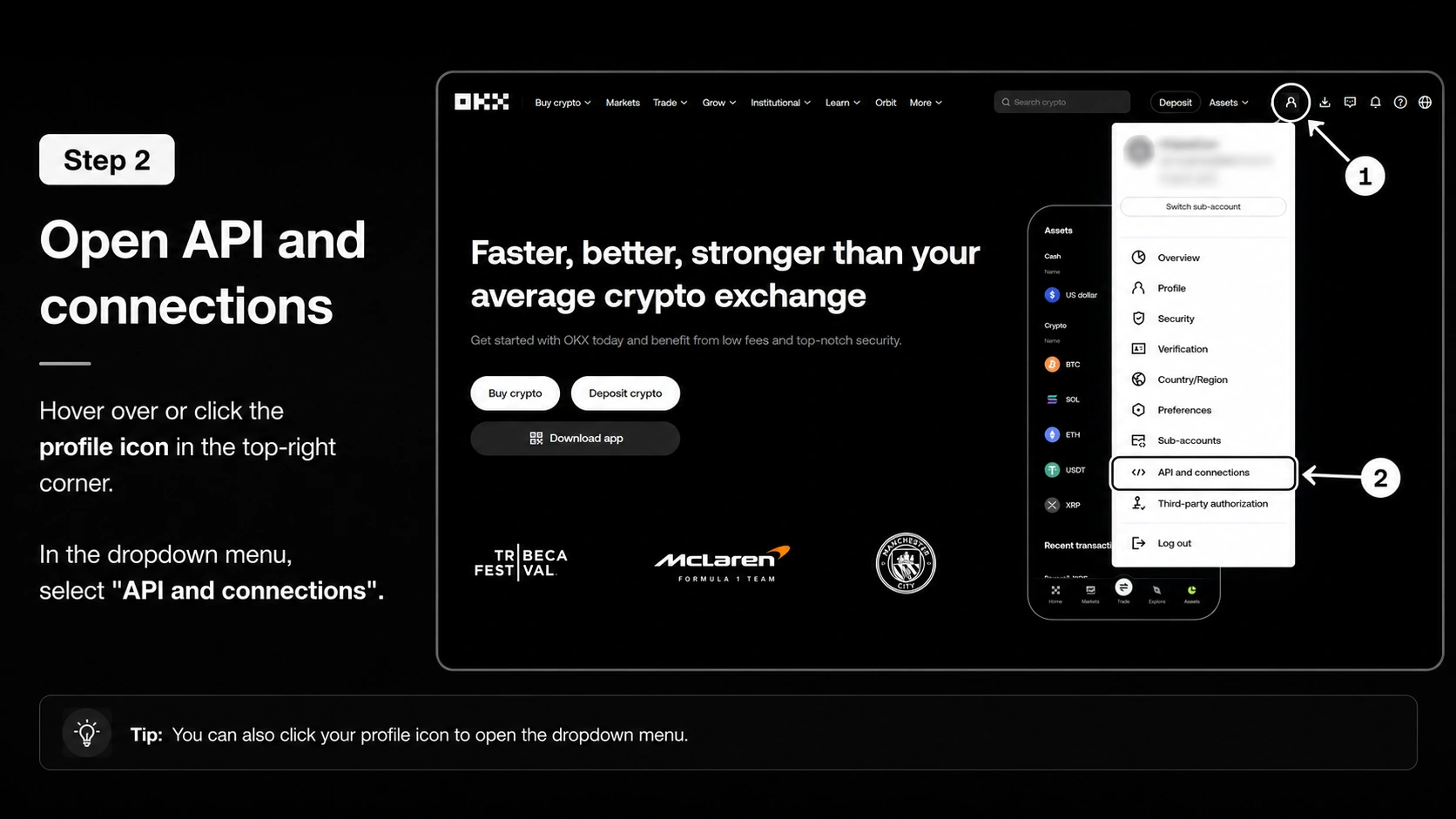
Check access to futures
Before connecting the API, open the Futures / Derivatives section on the exchange. If the exchange shows an activation window, trading guide, risk notice, or introductory steps, confirm them and complete the short setup. Usually, this is enough to activate futures trading on the account.
- 3
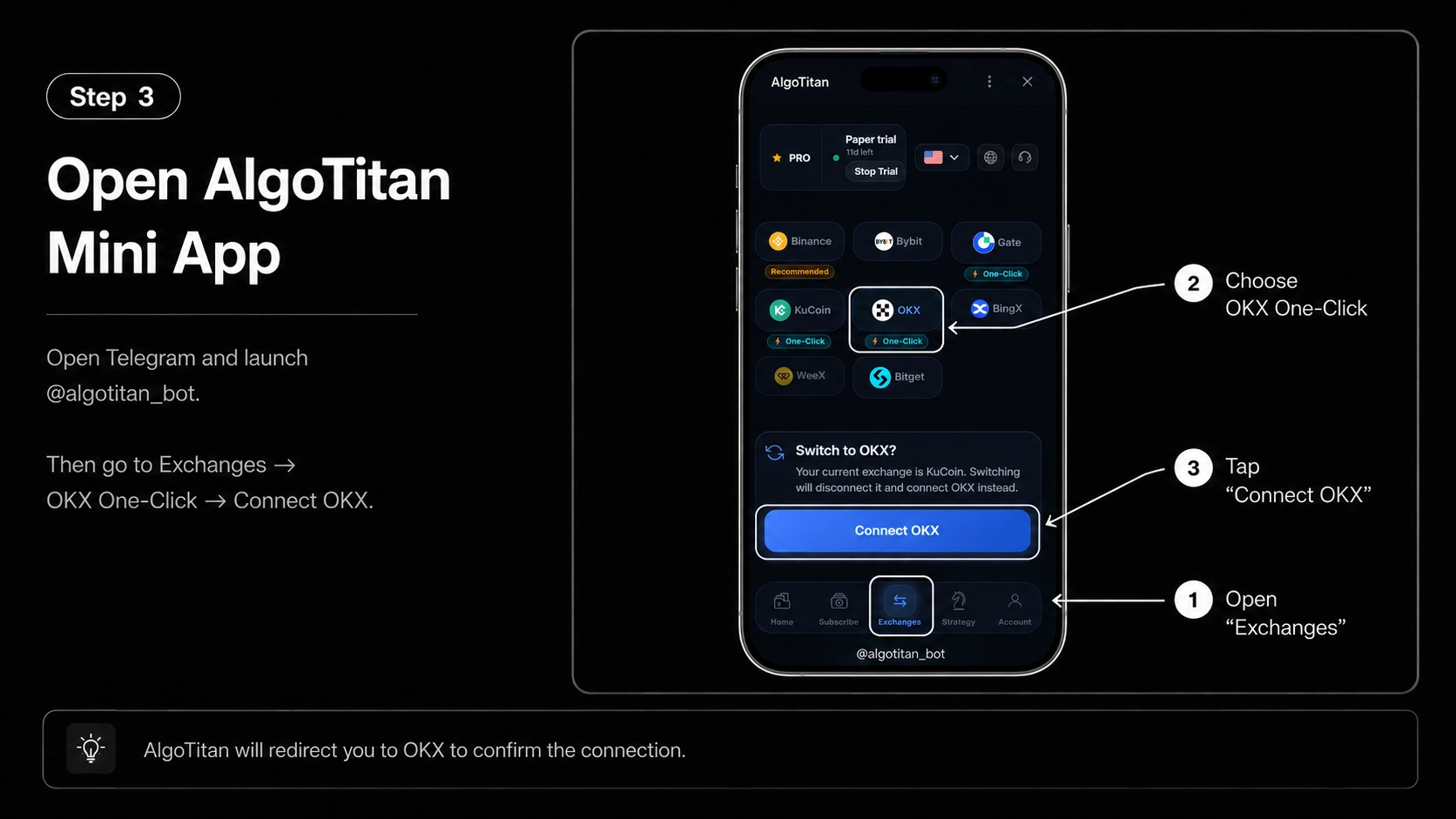
Open AlgoTitan Mini App
Go to Telegram and open @algotitan_bot.
Then open: Exchanges → OKX One Click → Connect OKX
After that, AlgoTitan will redirect you to your OKX account to confirm the connection.
- 4
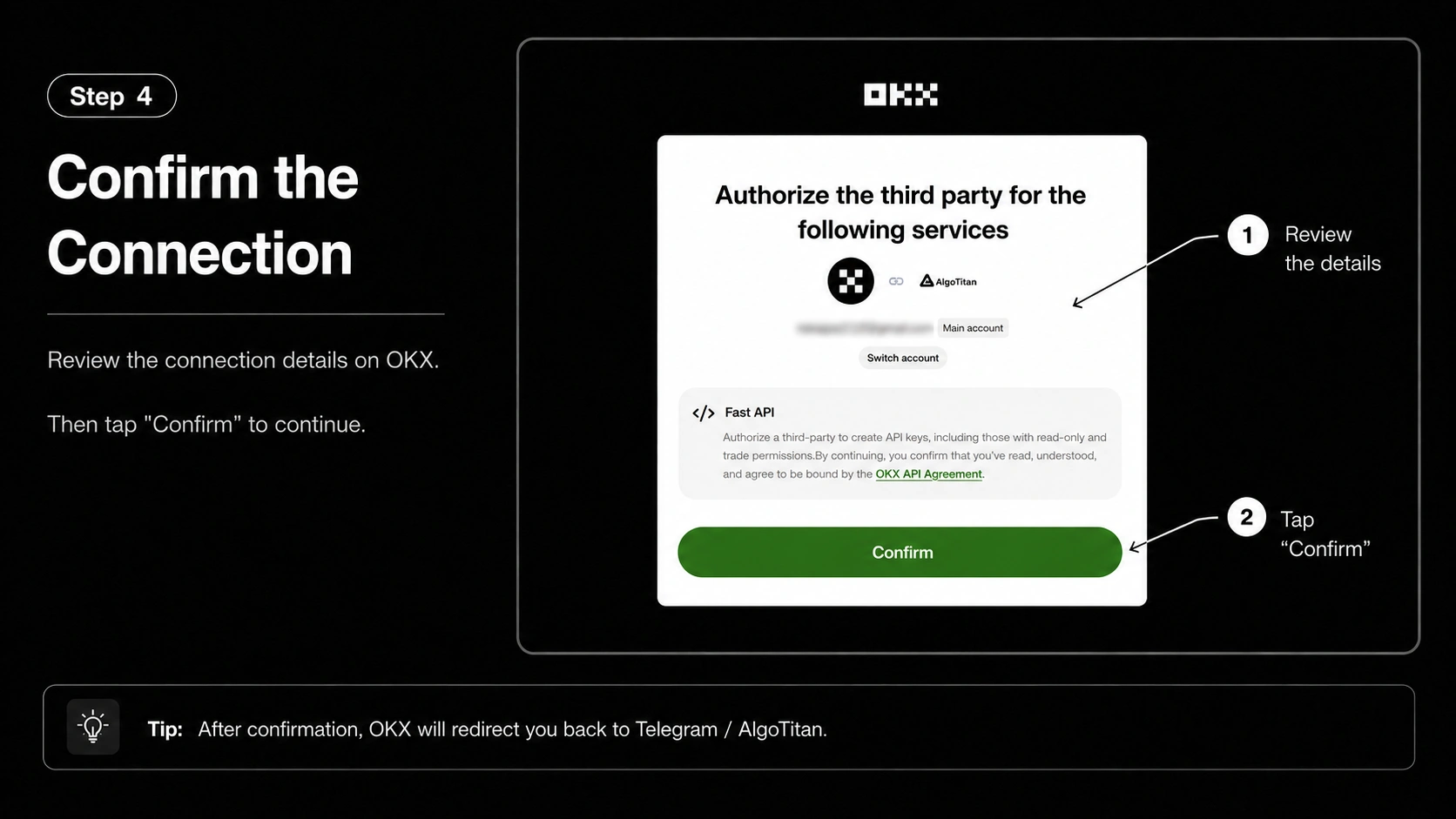
Confirm the connection on OKX
On the OKX side, check the connection details and click Confirm.
After confirmation, OKX will automatically redirect you back to Telegram / AlgoTitan.
- 5
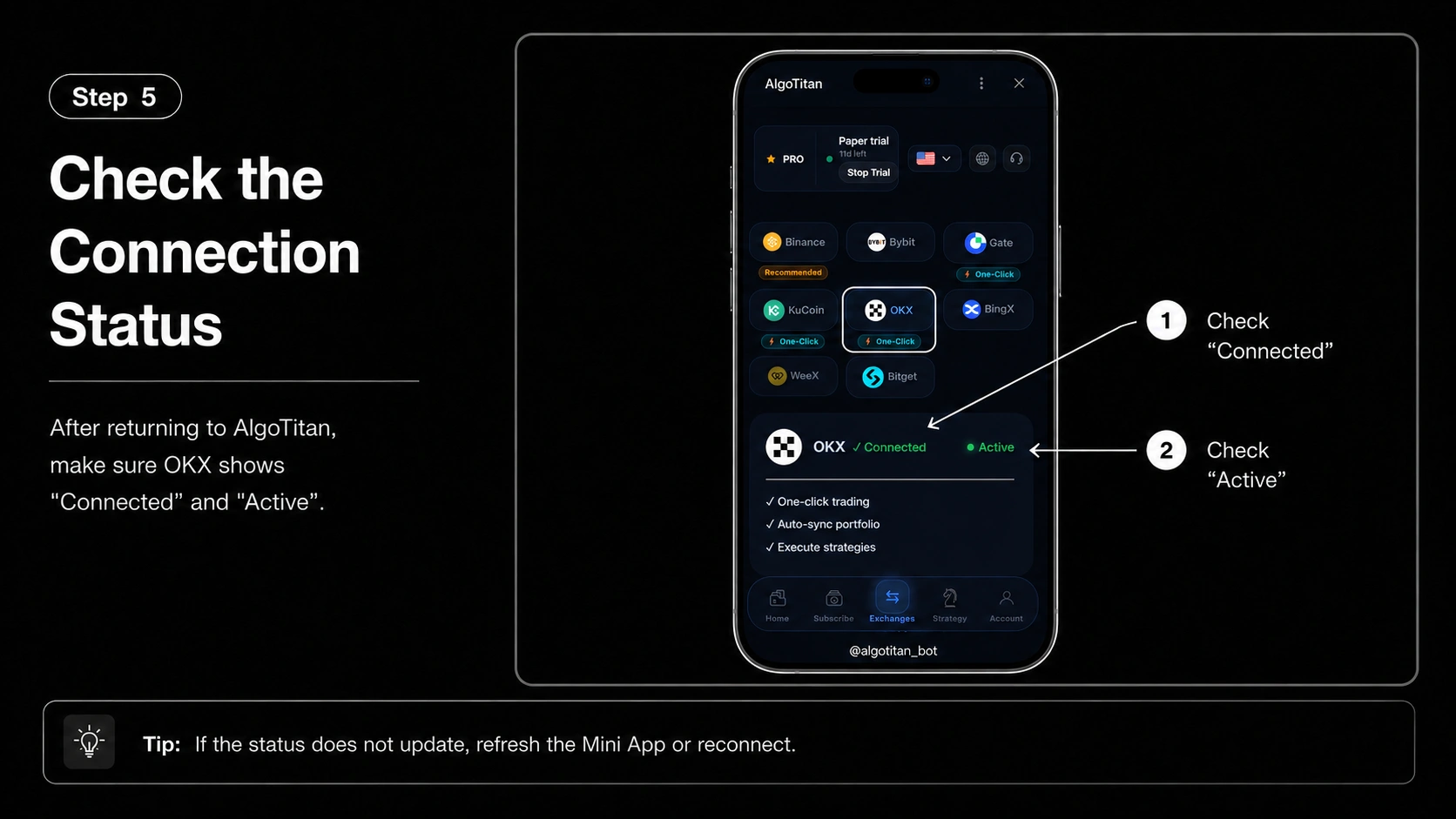
Check the connection status
After returning to AlgoTitan, check the exchange status. If everything is connected correctly, the status next to OKX should show: Connected / Active
OKX notes
For OKX, One Click connection is used, so the user does not need to manually copy API Key and Secret Key. The connection is confirmed on the OKX side, after which the user automatically returns to AlgoTitan. If after confirmation the status does not change to Connected / Active, try refreshing the Mini App or repeating the connection.